
Honest crop-only workflow
The tool does not invent a suit, office, expression, or background. It preserves the existing photo and changes framing only.
Frame an existing headshot with a LinkedIn profile picture cropper that shows the circular display area, protects headroom, and exports a clean square file. This is a cropper, not an AI headshot generator.
Live circle preview
Drag to position · Scroll to zoom · Arrow keys for precise movement
Three simple steps
The complete workflow stays on this page, from the source image to a finished local download.
Use a clear photo where the face is in focus and can be framed without cutting the chin or hair.
Drag and zoom until the face is centered, with modest headroom and shoulders visible when the source allows.
Download at 400, 800, 1024, or a custom size, then upload it through your own LinkedIn account.
Built for the real task
Every control changes the downloaded image. There are no decorative preview buttons, hidden signup gates, or server upload steps.
The tool does not invent a suit, office, expression, or background. It preserves the existing photo and changes framing only.
See which parts of the square source will disappear when the platform shows a round profile picture.
Source and output dimensions remain visible so you can avoid enlarging a small face crop too far.
Use a transparent PNG, high-quality WebP, or a JPG with a white background for predictable reuse.
Real output patterns
These language-neutral examples show the kinds of spacing, transparency, and border choices the tool produces.
Keep hair, chin, and shoulders away from the circular edge.
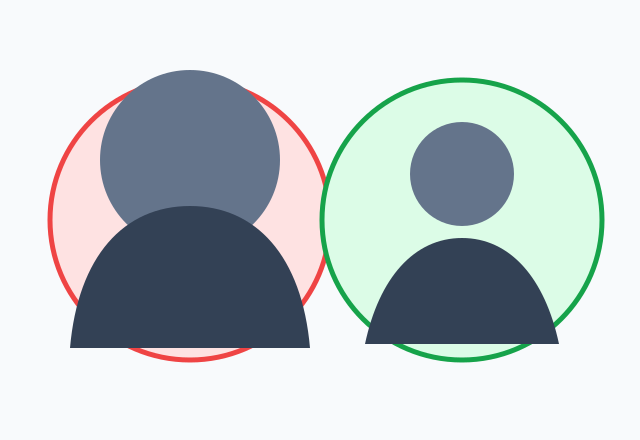
Check the small preview before saving a tightly cropped headshot.

Use a subtle border only when it improves separation.
Start with a photo that already communicates the appearance you want. The LinkedIn profile picture cropper is designed for framing, not generating a different person. Place the eyes slightly above center, leave space above the hair, and avoid pushing the chin against the circular boundary.
Check the compact preview as well as the large editor. A headshot can look balanced when enlarged but feel too tight when reduced in search results, comments, or connection lists.
Platforms place uploaded square images inside their own profile masks. If the face or shoulders are close to the source edge, that mask can make the result appear zoomed in or cut off. Preparing the safe circular composition before upload reduces this surprise.
Switch to Fit full image when the current source is already tightly cropped. The tool can add breathing room around the complete photo, although a very wide source may need more background area to fit inside a circle.
The page starts at 400 by 400 pixels as a practical profile preset and also offers larger square masters. Platform recommendations can change, so the editor labels presets as practical choices rather than permanent official requirements.
Use a source where the face itself has enough pixels. Exporting a small screenshot at 2048 pixels only creates more pixels, not more facial detail. The dimension readout helps identify that case.
Search results for “LinkedIn profile picture maker” now contain many AI headshot generators. That is a different task. This LinkedIn profile picture cropper does not synthesize clothing, facial features, lighting, or environments and does not claim that a crop can replace a good source photo.
Its value is speed, control, and privacy. The photo stays in the browser, and you can create a correctly framed file without opening a full design application or sharing an account password.
Continue with a focused tool
Choose a page with the default settings and guidance that match your next output.
Researched user questions
Direct answers cover formats, privacy, quality, mobile use, and the failure cases that cause most repeat edits.
Upload the headshot, center the eyes slightly above the middle, leave headroom, check the circular thumbnail, and download a square file.
LinkedIn displays a square upload through its own profile mask. Important details near the source edge may be hidden, so prepare a circle-safe composition before uploading.
The original may already be tightly framed. Use Fit full image or zoom out here to add breathing room before exporting a new square file.
This page includes a practical 400 by 400 preset and larger options. Use a clear source and keep the subject inside the circular safe area.
No. It only crops, positions, rotates, flips, borders, and exports the image you provide. It does not alter identity or create new clothing and backgrounds.
No. The headshot is decoded and rendered locally in the browser. You upload the downloaded file to LinkedIn yourself if you choose.
Yes. The LinkedIn profile picture cropper starts with a narrow neutral ring that you can change or turn off before export.
Yes. Use Fill circle for a close portrait or Fit full image when the rectangular source is already tightly framed. Check the small circular preview before download.
Return to the editor, add your image, and download a clean result without signing up or uploading the source to a server.
Crop an image nowYour feedback helps make Crop Image Circle more useful and reliable.
Your message has been sent. We appreciate the time you took to help improve Crop Image Circle and will reply if a response is needed.